
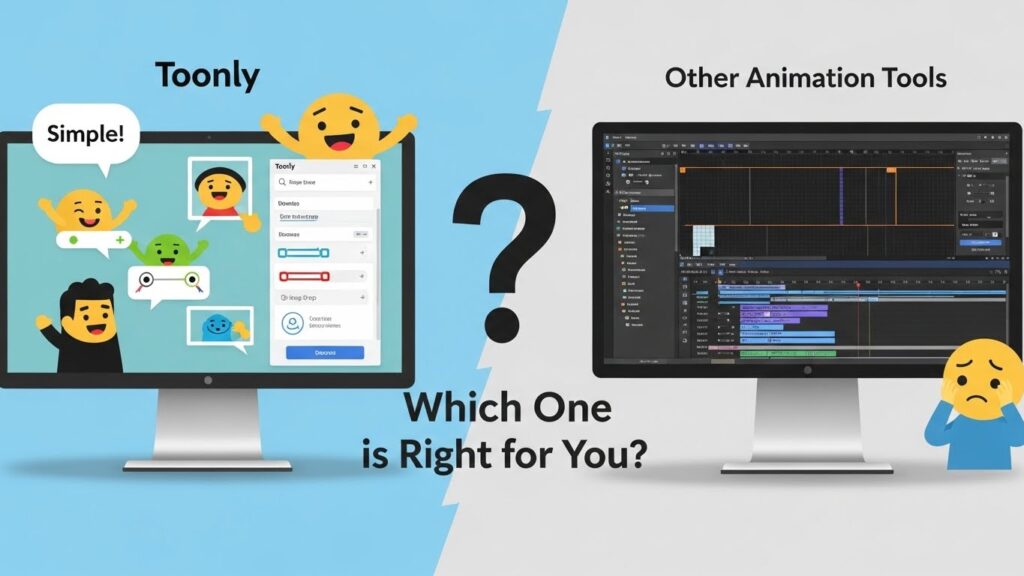
Animation tools have become essential for marketers, educators, and content creators looking to convey their messages in a visually compelling way. With so many options available today, choosing the right one can feel overwhelming. Among these tools is Toonly, a user-friendly platform that promises to simplify the animation process while still delivering professional results.
But how does Toonly stack up against other animation software out there? Is it the best choice for your project needs? In this article, we’ll dive deep into what makes Toonly unique and compare it with other popular animation tools. Whether you’re a seasoned animator or just starting your creative journey, understanding these differences will help you make an informed decision tailored to your specific requirements. Let’s explore!
What is Toonly?
Toonly is a user-friendly animation tool designed for creators who want to produce high-quality animated videos without the steep learning curve. It focuses on making video creation accessible to everyone, from marketers to educators.
With its drag-and-drop interface, users can easily bring their ideas to life. There’s no need for technical skills or prior experience in animation. Just choose your characters, backgrounds, and props to craft compelling stories.
The platform offers a variety of customizable templates that cater to different themes and styles. This flexibility allows users to create unique content tailored specifically for their audience.
Toonly also provides a library filled with diverse animations and sounds. These resources enrich projects and help convey messages effectively while keeping viewers engaged throughout the video narrative.
Comparison with Other Animation Tools
When comparing Toonly with other animation tools, several key differences emerge. Many users appreciate Toonly’s user-friendly interface, which allows even beginners to create engaging animations quickly.
Competitors like Vyond and Animaker offer more extensive customization options, but this often comes at the cost of complexity. Users may face a steep learning curve before they can produce quality content.
In contrast, Toonly focuses on drag-and-drop functionality. This simplicity is ideal for those who want to get straight to storytelling without getting bogged down in technical details.
While some animation software emphasizes 3D capabilities or intricate design features, Toonly sticks to 2D animations that resonate well with audiences seeking straightforward visual communication.
The choice between these tools depends largely on your specific needs—whether you prioritize ease of use or advanced features will guide your decision-making process.
Features and Benefits of Toonly
Toonly stands out with its user-friendly interface. You don’t need to be a tech wizard to create engaging animations. The drag-and-drop feature simplifies the entire process, making it accessible for beginners.
The library is rich with characters, props, and backgrounds. This variety allows users to customize their projects easily. Whether you’re making educational content or marketing videos, Toonly fits the bill.
Another highlight is the ability to add voiceovers and sound effects seamlessly. This adds depth to your animations without requiring additional software or tools.
Collaboration features are also appealing for teams working on projects together. Sharing ideas becomes effortless, making it easier to produce polished final products.
Frequent updates ensure new elements keep rolling in too. Users can expect fresh content that keeps pace with industry trends and audience preferences.
Pricing and Packages
Toonly offers flexible pricing plans tailored to different needs. This makes it accessible for freelancers, small businesses, and larger enterprises alike.
Their packages start with the basic plan, which provides essential features for creating engaging animations. It’s perfect if you’re just getting started or have a limited budget.
For those looking to dive deeper into animation, the standard package includes additional assets and functionalities that enhance creativity. It’s ideal for marketing teams wanting to produce more polished videos.
The premium option goes all out. It provides access to an extensive library of characters and scenes, along with advanced editing tools. This is great for professionals aiming to create high-quality content regularly.
Additionally, Toonly sometimes runs promotions or discounts on their subscriptions. Keeping an eye on these can lead to significant savings while still gaining top-notch animation capabilities.
Customer Reviews and Testimonials
Customer feedback offers invaluable insights into the usability of Toonly. Many users appreciate its intuitive interface, which allows even beginners to create professional-looking animations effortlessly.
Several testimonials highlight the variety of characters and scenes available in Toonly’s library. This diversity helps users craft engaging stories tailored to their specific needs. The drag-and-drop functionality has also been a game changer for those looking to save time while producing high-quality content.
On platforms like Trustpilot and social media, you’ll find comments praising the responsive customer support team. Users feel reassured knowing help is just a message away when they encounter issues or have questions.
Many creators have shared success stories about how Toonly elevated their marketing strategies, increasing viewer engagement significantly compared to traditional methods. It’s clear that various professionals—from educators to marketers—are finding great value in this animation tool.
How to Choose the Right Animation Tool for You
Choosing the right animation tool can feel overwhelming given the vast options available. Start by identifying your specific needs. Are you creating marketing videos, educational content, or something else?
Consider your skill level as well. Some tools cater to beginners with user-friendly interfaces, while others might require advanced knowledge of animation techniques.
Evaluate the features that are most important to you. Do you need a variety of characters and backgrounds? Or perhaps voiceover capabilities and music integration?
Don’t forget about budget constraints. Many tools offer different pricing tiers based on functionality and support.
Take advantage of trial versions when available. This hands-on experience will help clarify what works best for your projects without making a financial commitment upfront.
Conclusion
Animation tools are essential for anyone looking to create engaging visual content. Toonly stands out as a user-friendly option that caters specifically to those who may not have extensive animation experience. It provides valuable features that make the process of storytelling simpler and more enjoyable.
When comparing Toonly with other animation tools, it’s evident that each has unique offerings. Tools like Vyond and Animaker boast advanced capabilities but often come with steeper learning curves. Toonly excels in its ease of use while still providing quality animations suitable for various applications.
The features offered by Toonly—such as drag-and-drop functionality, customizable characters, and a library filled with assets—make it an attractive choice for many users. Its pricing packages further enhance its appeal, accommodating both hobbyists and professionals alike.
Customer feedback highlights satisfaction with the intuitive interface and supportive community surrounding Toonly. Users appreciate how quickly they can create professional-looking videos without needing extensive training or technical skills.
Choosing the right animation tool depends on your specific needs, budget, and desired complexity level in your projects. If you value simplicity combined with effective results, then exploring what Toonly offers might be worth your time.
As you consider which animation tool aligns best with your goals, weigh factors like usability against feature sets carefully. The world of animation is vast, but having clarity about your objectives will guide you toward making the best decision for creating captivating animated content.